Here’s a quick tip to send a PDF straight to Evernote from the macOS print dialog to save a few steps creating a file, importing, and deleting.
From the Print dialog, instead of clicking the PDF button, click on the dropdown arrow and check that Send to Evernote isn’t already in the list (the name may be slightly different). If not, click Edit Menu… (1).
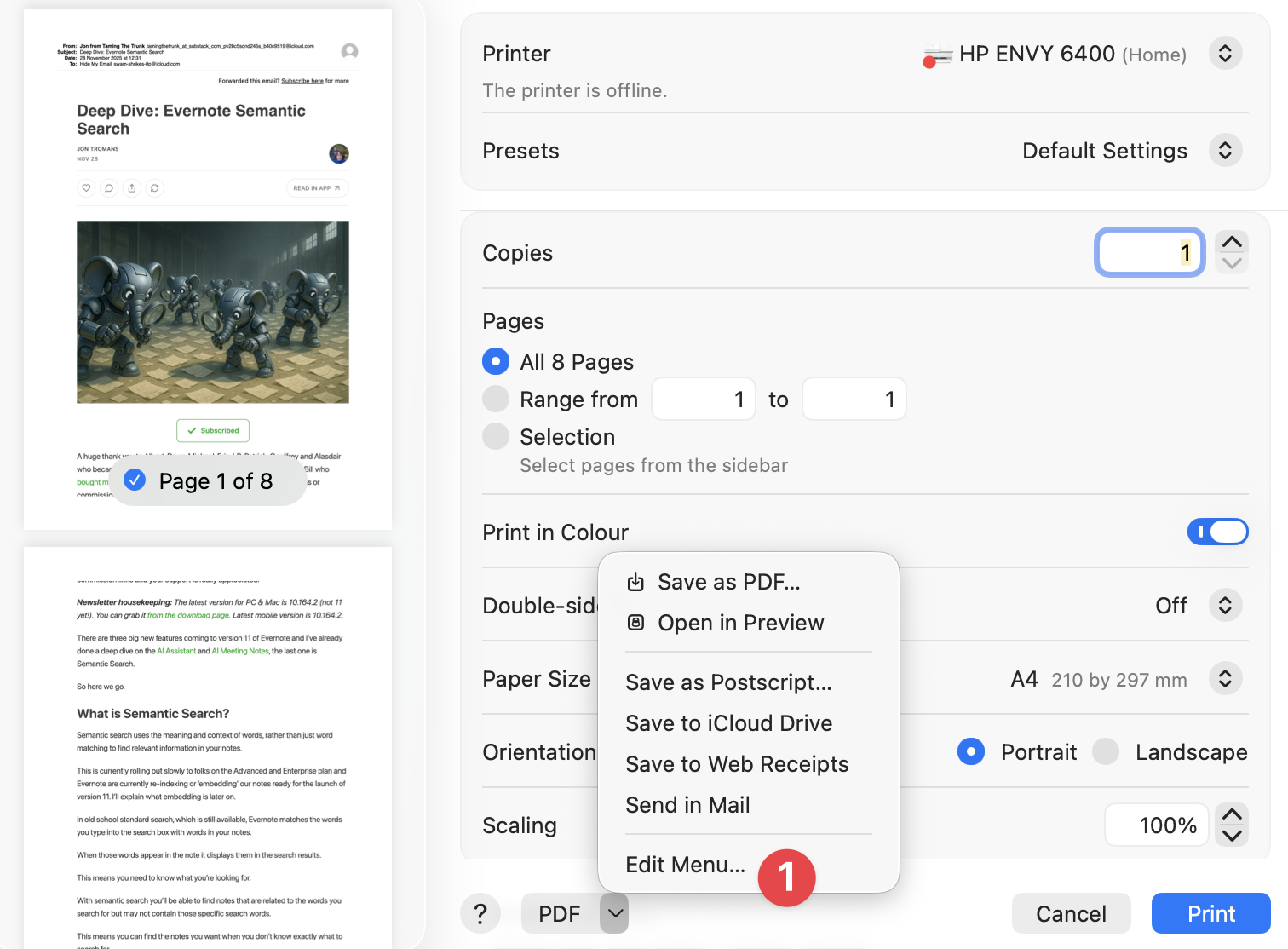 macos Print dialog showing the Edit Menu option on the PDF dropdown
In the next dialog, click the + button (2) and select the Evernote.app in your Applications folder. You can double click this to change the name if you like (3).
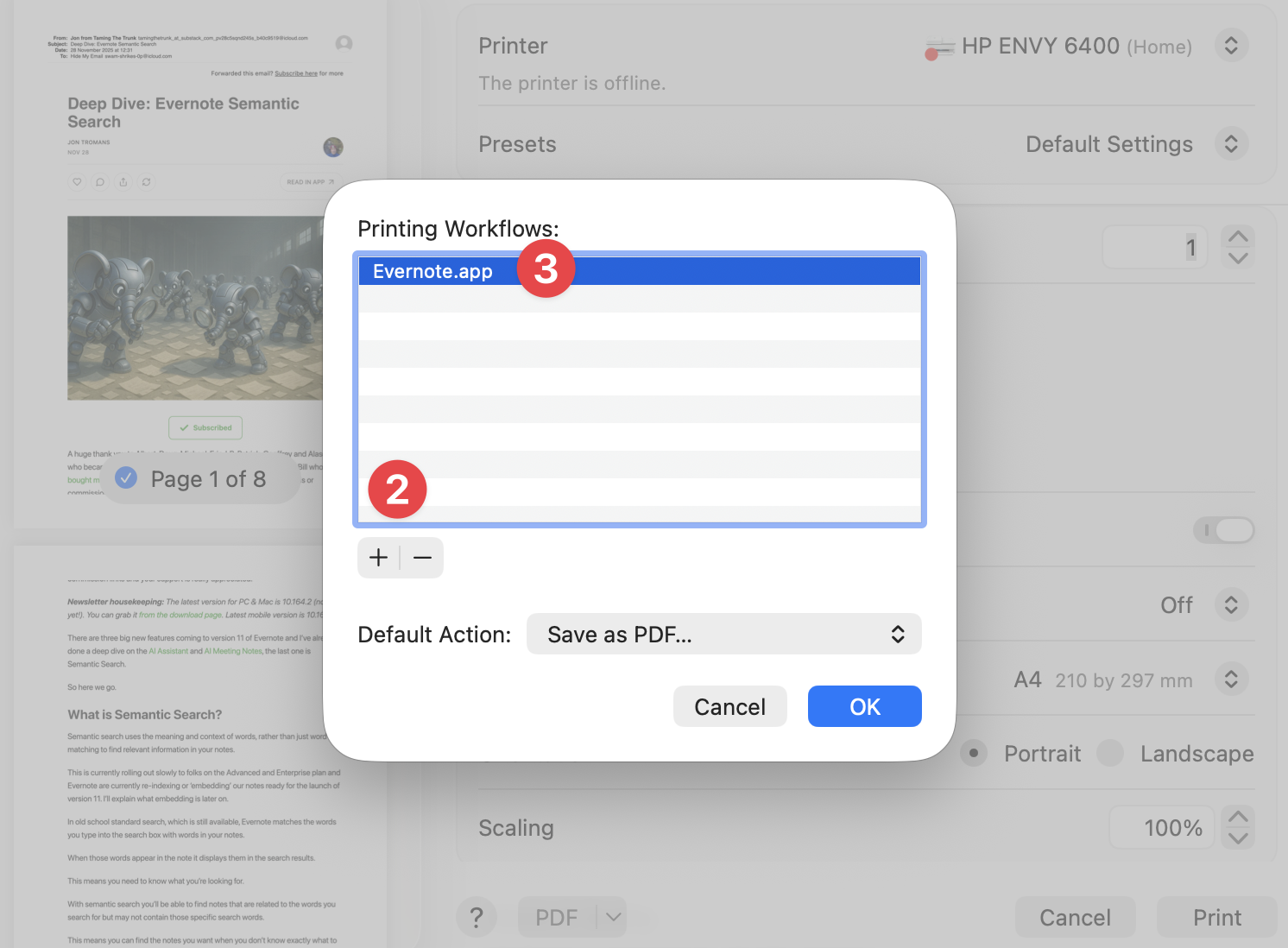 Add Evernote to the Print dialog
Click OK and you can now use your Send to Evernote option every time you print.